
 3D CAD / Surfacing
KingsCAD
NURBS surface & solid modeling focused on Class-A surfacing and surface-quality analysis.
View product →An offline-first till for Kenyan shops, with M-Pesa built in and the books underneath.
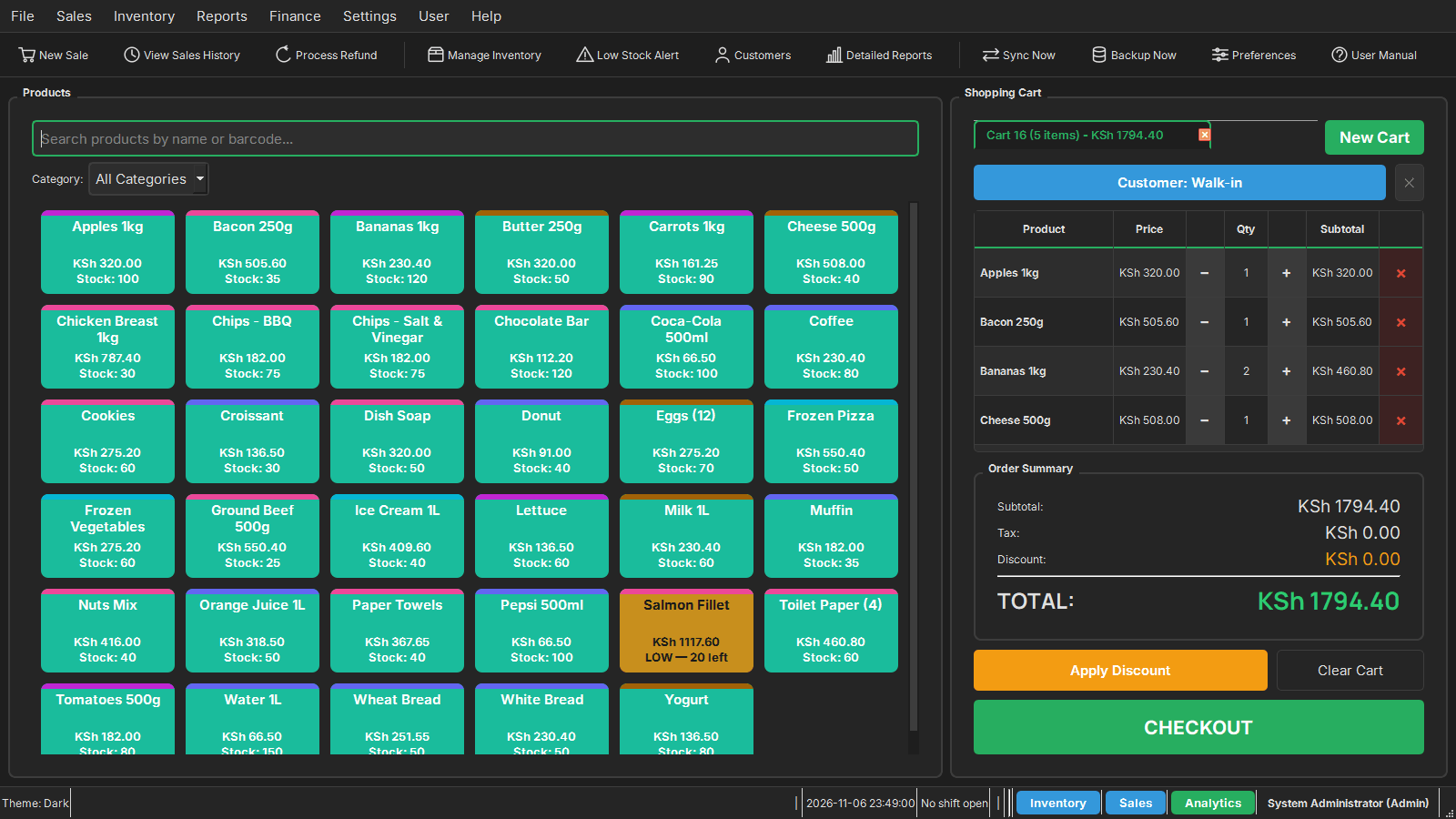
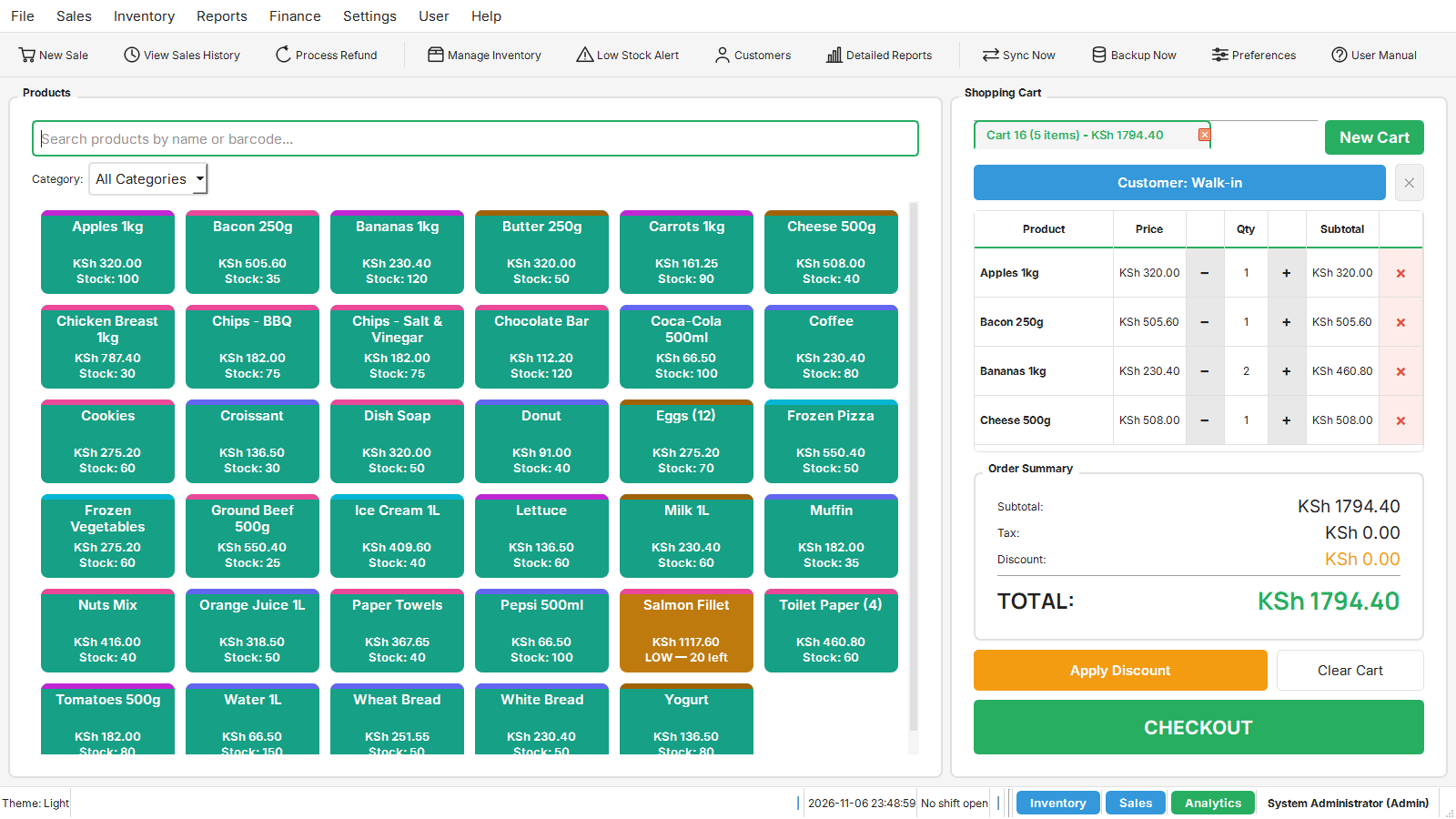
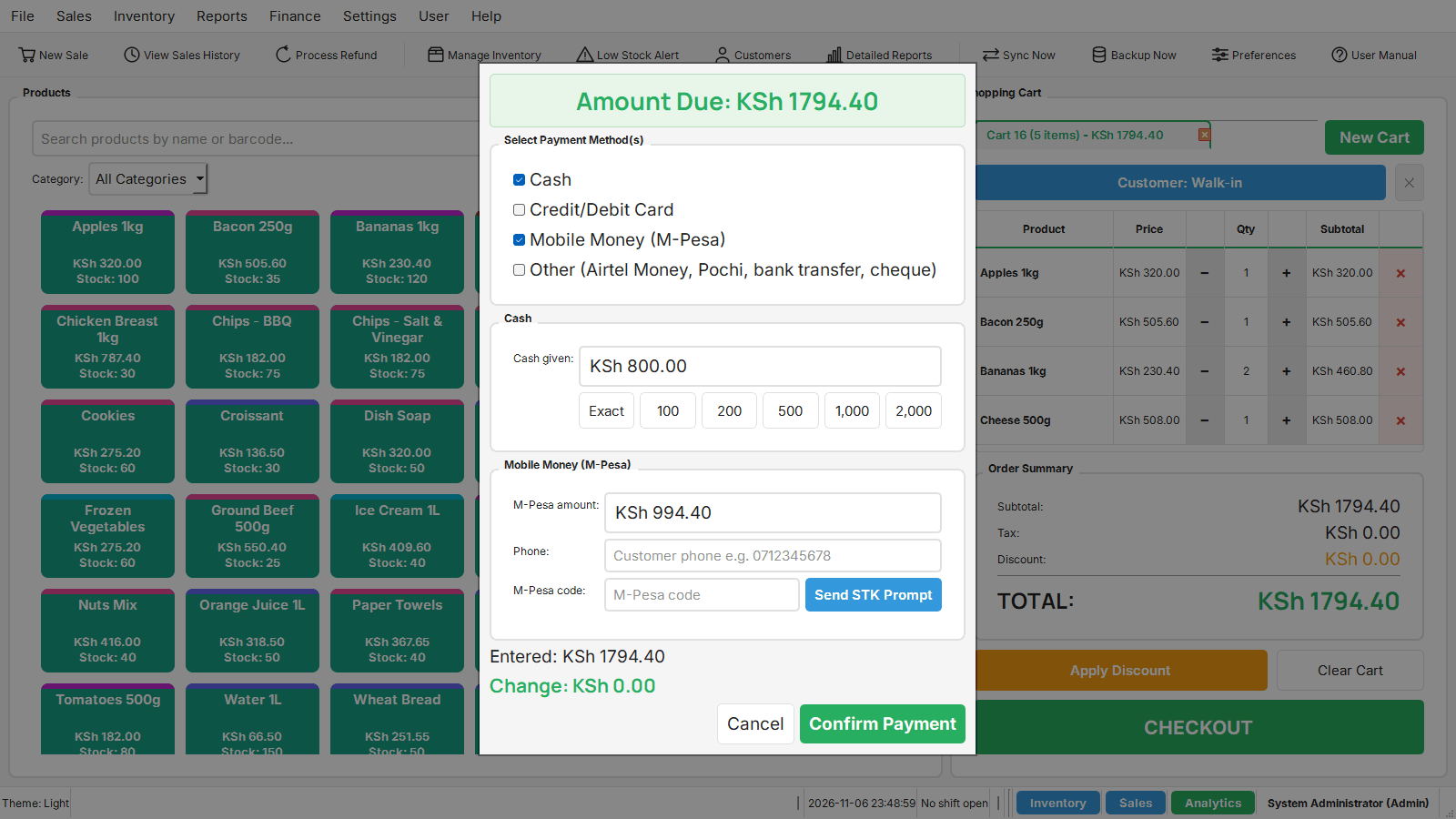
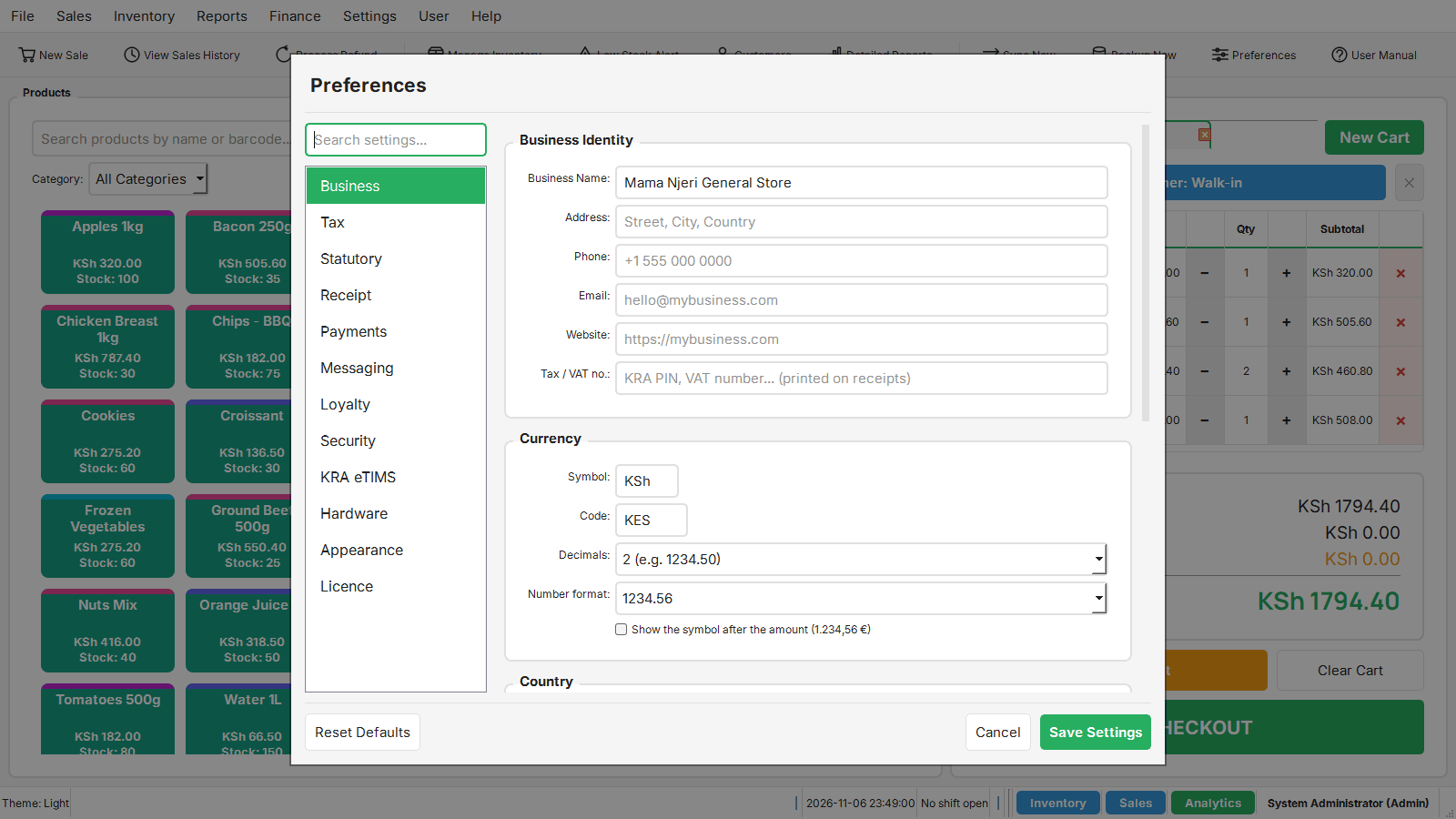
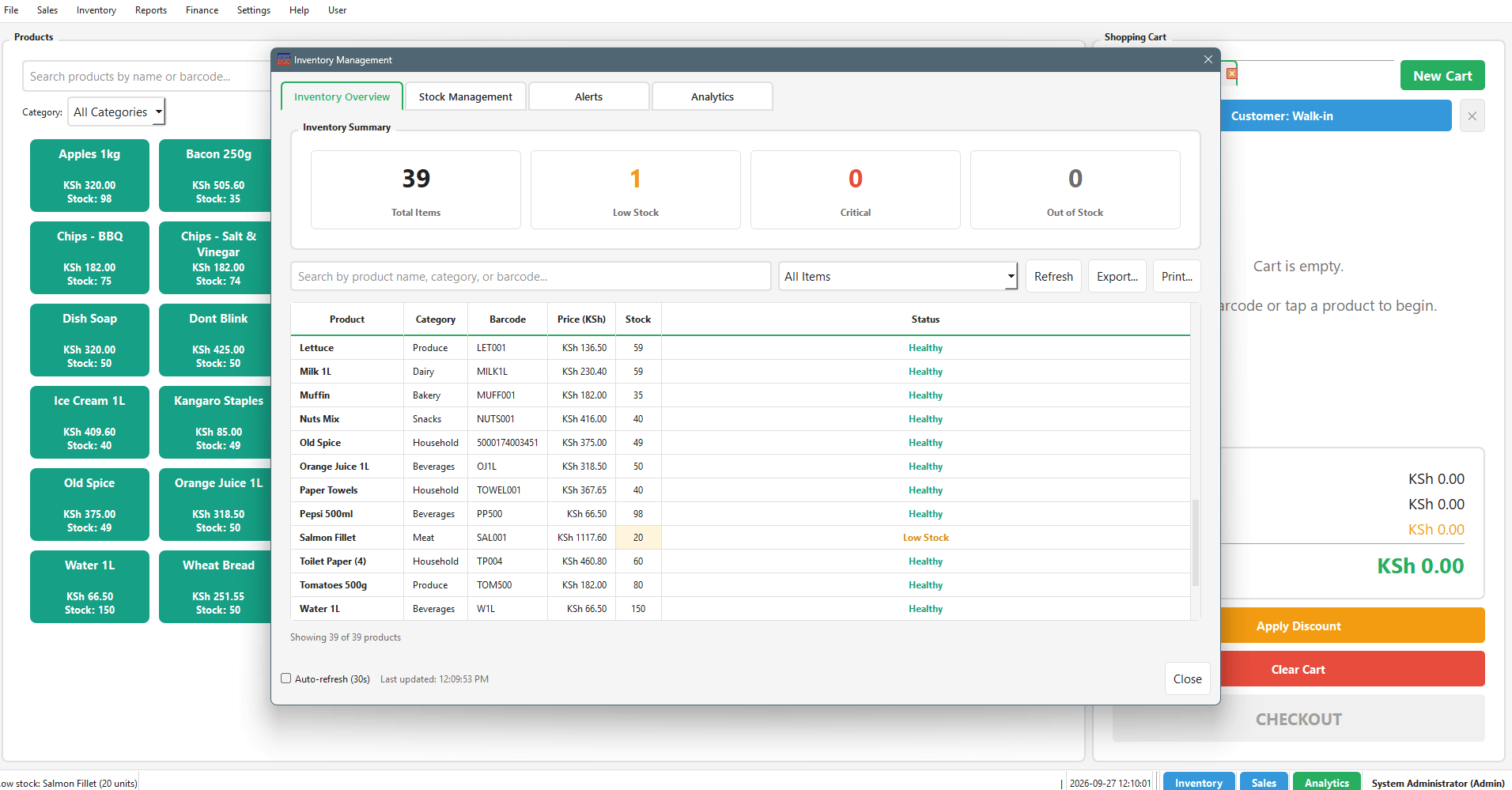
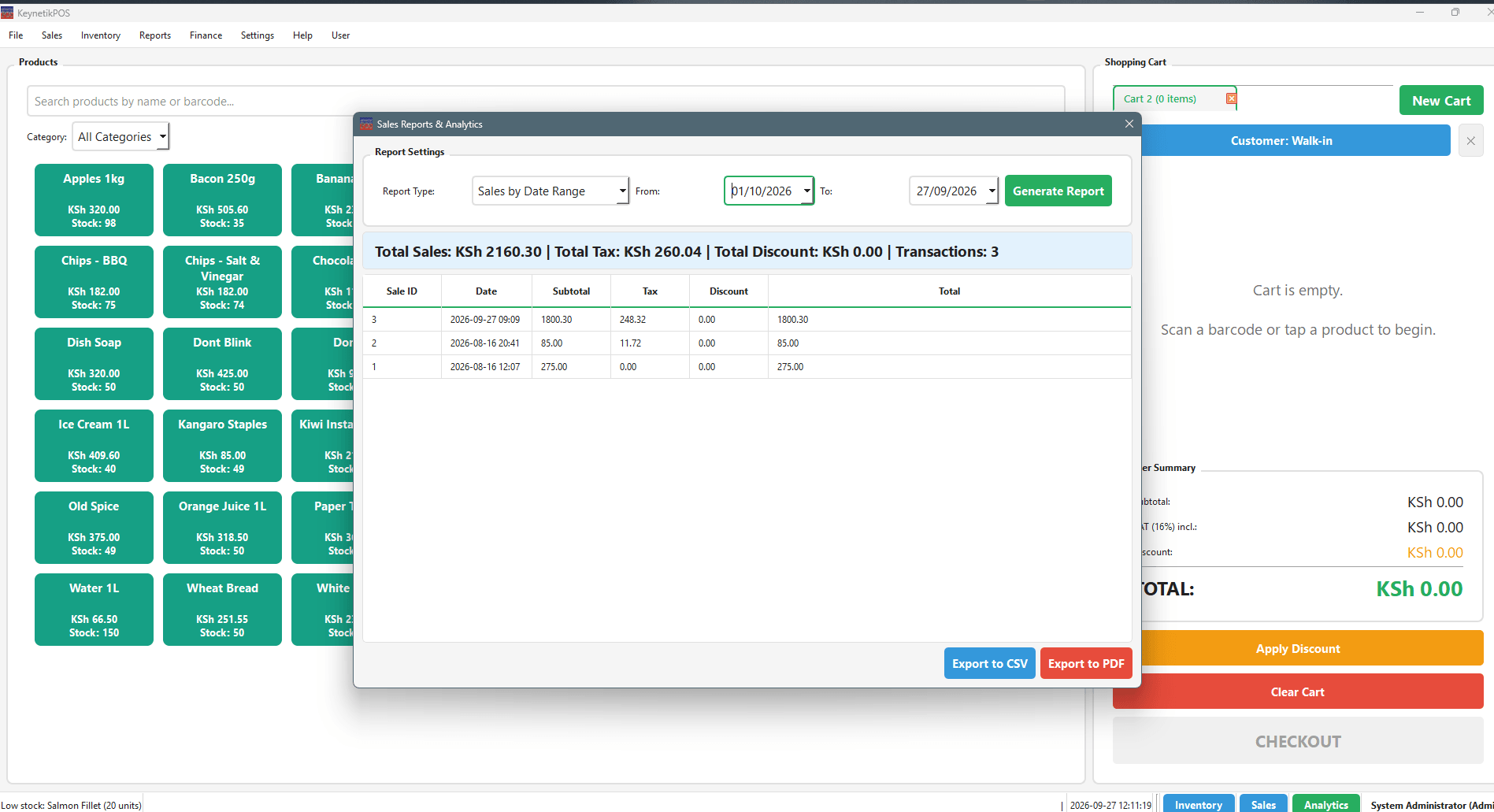
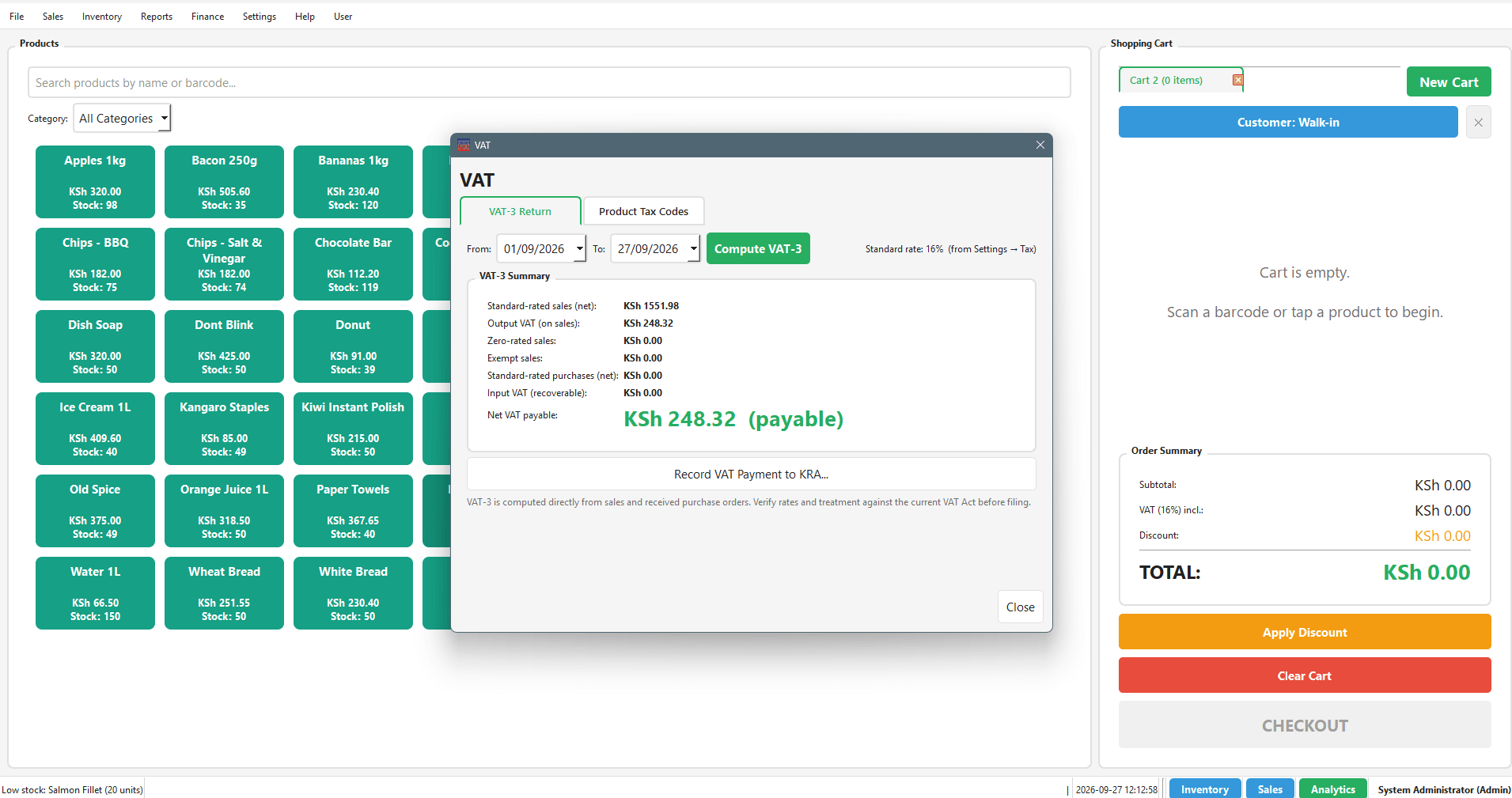
Screenshots straight from a running install: the checkout counter, the inventory desk, and the statutory reports that feed your VAT and payroll returns.
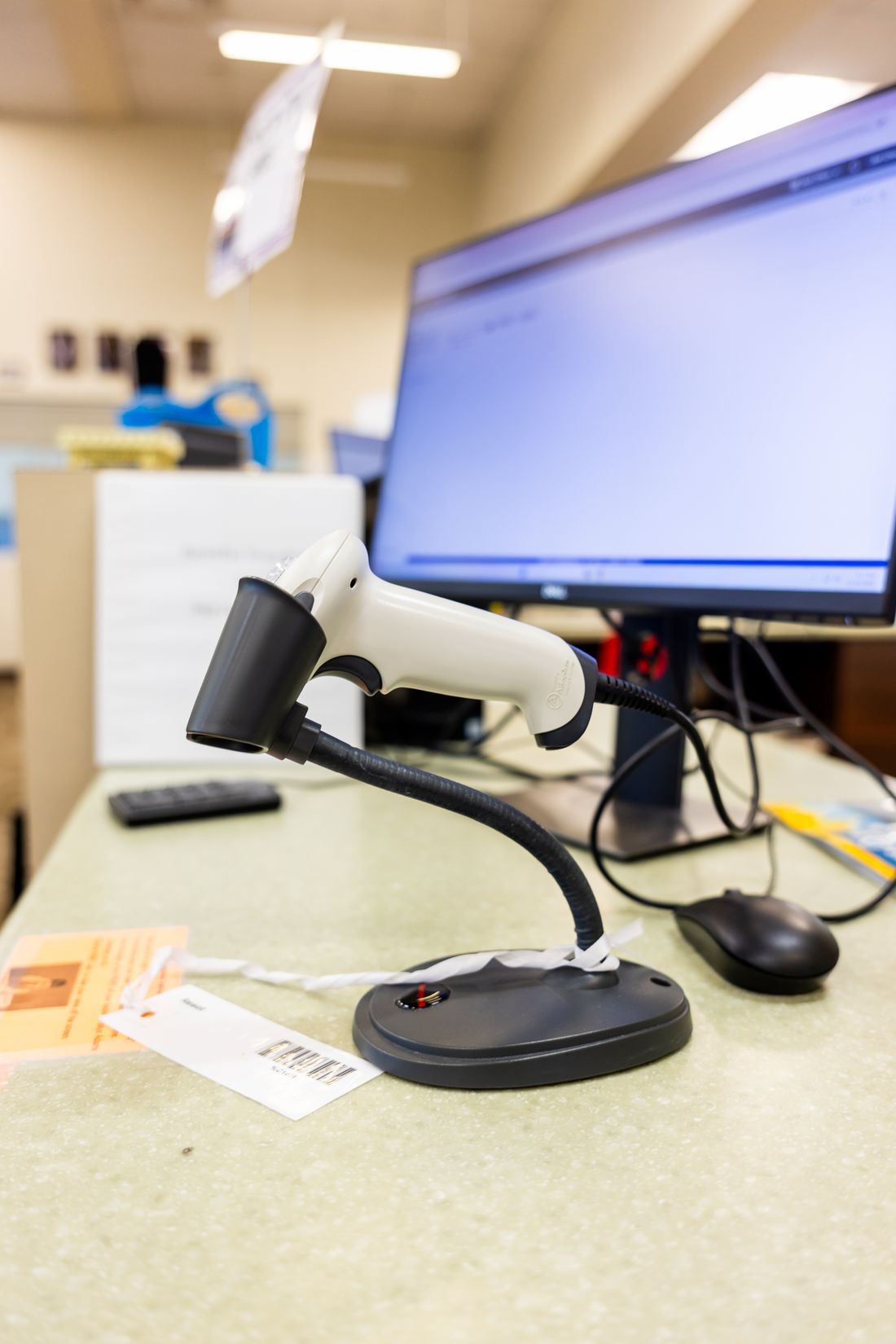
Keyboard-wedge and serial scanners work out of the box. On POS Pro and above a scanned code drops straight into the cart, with no typing and no search. No scanner? Use your phone as one over your Wi-Fi.
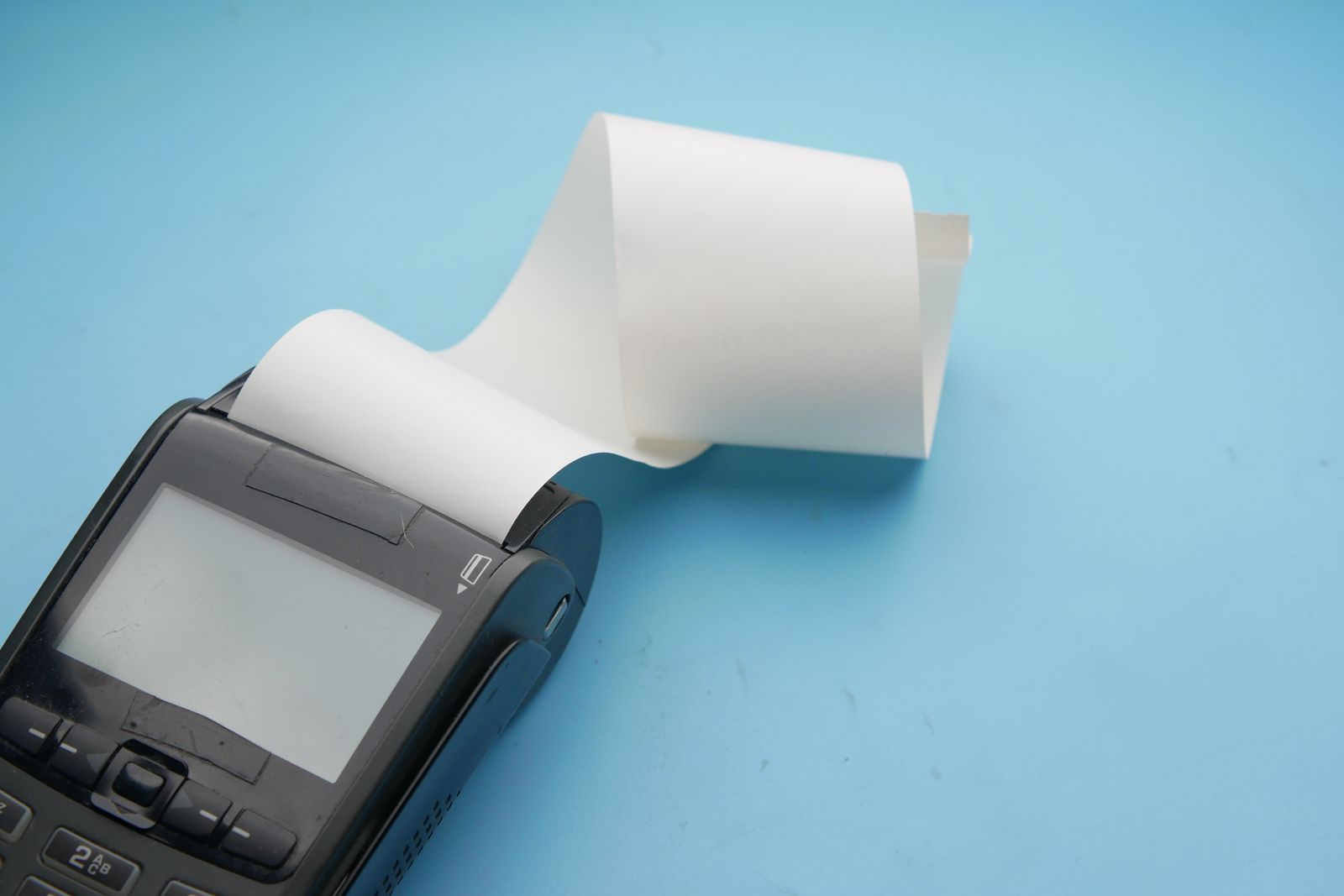
Print on a thermal receipt printer over USB, serial or your network, save a PDF copy, or e-mail it to the customer. Every payment code and every tax line is on the receipt.
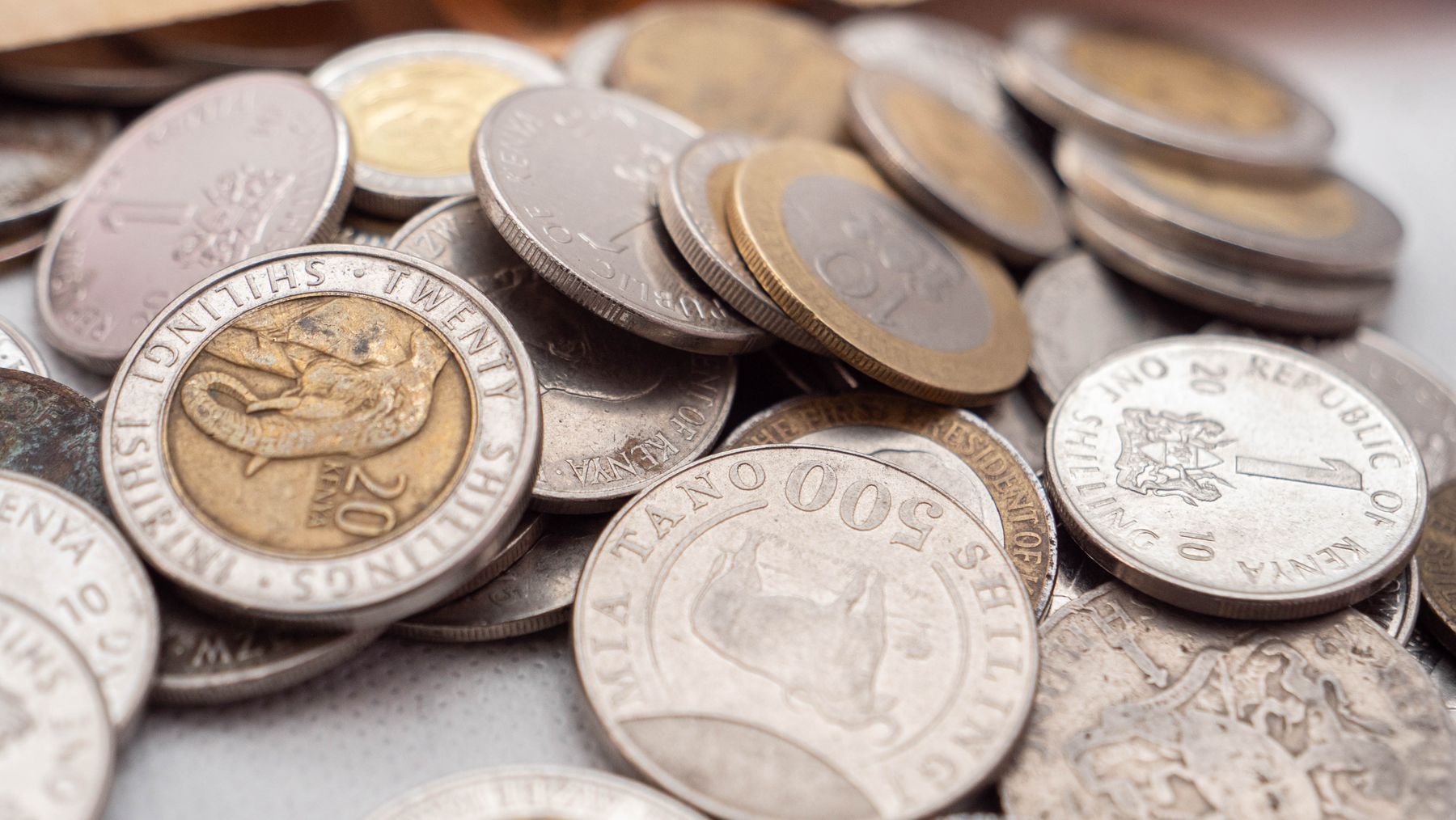
Photos from Pexels, used under the Pexels licence: barcode scanner by Caleb Oquendo, receipt terminal by Towfiqu barbhuiya, coins by Rufaro Makaya.
Park one customer's order and serve another without losing either cart — built for a busy counter, not a single-file queue.
On POS Pro and above, send Safaricom Daraja STK Push prompts straight from the till — the customer pays on their phone and the sale confirms automatically. Every tier, including free POS Core, can record M-Pesa as a payment method by entering the transaction code. See what to check in any M-Pesa POS system.
Works with keyboard-wedge and serial scanners out of the box. On POS Pro and above, a scanned code drops straight into the cart — no typing, no search.
Open and close shifts with a counted float on every tier. POS Pro and above add the classic end-of-day Z-Report with automatic cash-variance calculation, and you can print or export it.
A double-entry general ledger, built-in payroll software for Kenyan statutory deductions (NSSF, SHIF, Housing Levy, PAYE), and a VAT engine sit under the POS — this isn't just a till, it's the books. Read our guide to KRA VAT compliance.
Four roles — Admin, Manager, Cashier, Viewer — with granular permissions, so a cashier can ring up a sale but can't touch reports or void a discount without a PIN.
Low- and critical-stock alerts, CSV import/export, stock valuation, an editable inventory grid with undo/redo, and a stock-take count sheet — full inventory management software, not a bolt-on stock count.
Get your Z-Report or a low-stock alert texted or WhatsApp'd to your phone on a schedule — without standing at the till.
Local SQLite storage and an offline-first licence check that only pauses paid features after 30 days without a connection — the till keeps ringing up sales even when the internet doesn't.
Pair extra tills to one hub — the foundation for running more than one counter as you grow. Each terminal stays a full standalone till with its own local database and keeps ringing up sales if the hub is briefly unreachable, syncing automatically once it's back.
Push your nightly local backup to encrypted cloud storage automatically, on top of the local backup rotation every tier already gets.
Coming soon: full multi-language support (the interface is English today; French translation is in progress).
Pair the phone with your till over the shop's own Wi-Fi using a PIN, and every code you scan is added to the till's current sale.
Ring up sales, manage items and customers, see reports, and print receipts to a Bluetooth thermal printer, all from the phone itself. Staff sign in with a PIN so every sale has a name on it. Free to use with ads; a Premium upgrade removes them and adds more business features.
M-Pesa STK Push through your own Daraja or Paystack account, or card payments through Stripe. Credit sales are tracked per customer. Your payment keys are stored on our server, never on the phone.
Everything is saved on the phone first and syncs when there is a connection. Scan an unknown barcode and the app looks it up in a shared community catalogue and Open Food Facts, so you only type what is new. Available in English, Swahili, French, Spanish, Portuguese, Dutch and Greek.
 Android phones. Free to use, with an optional paid tier.
Every install starts with a 30-day free trial with full ERP Full access — no credit card required. When it ends, POS Core stays free: the app asks for your email address once and issues a free licence. Buy a tier once and it's yours, forever.
The essentials, free.
For a shop that needs reporting.
1 year of updates included, then $20/yr to keep them (optional — your license never expires).
For managing suppliers & costs.
1 year of updates included, then $49/yr to keep them (optional — your license never expires).
The complete back office.
1 year of updates included, then $95/yr to keep them — worth keeping current, since payroll and VAT rates change with each Finance Act.
Prices shown in USD, per till. M-Pesa payments are accepted in the Kenyan Shilling amount shown per plan. Running more than one till? Contact us for multi-till pricing.
Independent of the POS Core → ERP Full ladder — buy either add-on at whatever tier you're already on.
Pair extra tills to one hub.
The one add-on billed as a subscription rather than pay-once — it carries an ongoing hosting cost, unlike the rest of KeynetikPOS.
Off-site copies of your database, automatically.
Available standalone from POS Core up — you don't need to upgrade tiers just to get off-site backups.
| Feature | POS Core | POS Pro | ERP Lite | ERP Full |
|---|---|---|---|---|
| Checkout & multiple carts | ✓ | ✓ | ✓ | ✓ |
| Products & inventory | ✓ | ✓ | ✓ | ✓ |
| Several tax rates per product (VAT / GST) | ✓ | ✓ | ✓ | ✓ |
| M-Pesa payments (record the code) | ✓ | ✓ | ✓ | ✓ |
| Airtel Money, Pochi, bank transfer & cheque (recorded with a reference) | ✓ | ✓ | ✓ | ✓ |
| M-Pesa STK Push prompts | — | ✓ | ✓ | ✓ |
| Shifts with counted floats | ✓ | ✓ | ✓ | ✓ |
| Z-Report (end of day) | — | ✓ | ✓ | ✓ |
| Receipts (PDF, or thermal printer over USB / serial / network) | ✓ | ✓ | ✓ | ✓ |
| User accounts & roles | — | ✓ | ✓ | ✓ |
| Advanced reports & analytics | — | ✓ | ✓ | ✓ |
| Scheduled reports | — | ✓ | ✓ | ✓ |
| Barcode scan-to-cart | — | ✓ | ✓ | ✓ |
| SMS / WhatsApp messaging | — | ✓ | ✓ | ✓ |
| Suppliers & purchase orders | — | — | ✓ | ✓ |
| Expense tracking | — | — | ✓ | ✓ |
| Customer accounts | — | — | ✓ | ✓ |
| Profit & loss report | — | — | ✓ | ✓ |
| Stock valuation | — | — | ✓ | ✓ |
| General ledger (double-entry) | Recorded in the background | Recorded in the background | Recorded in the background | ✓ Open & export |
| Payroll (NSSF, SHIF, PAYE) | — | — | — | ✓ |
| VAT engine & VAT-3 returns | — | — | — | ✓ |
| UK VAT Return (nine boxes, to file by hand) | — | — | — | ✓ |
| Multi-terminal sync Add-on | ✓ | ✓ | ✓ | ✓ |
| Cloud backup Add-on | ✓ | ✓ | ✓ | ✓ |
Add-ons are sold separately from the tier ladder — a ✓ means it's available at that tier, not included free.
Yes. Every install starts with a 30-day trial with full ERP Full access, so you can evaluate every feature before deciding what to buy — no credit card required.
With M-Pesa, on the pay page: choose your plan, enter your phone number and approve the prompt. Your licence key arrives by SMS and e-mail in about a minute. Paying another way, or for several tills? Contact us.
Yes — unlock a higher tier at any time by purchasing that tier's key. There's no subscription to cancel or migrate.
No. Sales, inventory, and reporting all run against a local database and work fully offline. Licensing checks in periodically online. If a till goes a week without a successful check it shows a notice, and only after 30 days do paid features pause; selling, stock and receipts keep working on POS Core until it reconnects.
Each license activates one till. Running more than one? Multi-till pricing is handled directly — contact us for a quote.
Pay the renewal price by M-Pesa, using your license key as the account reference. The renewal is applied automatically and you get a confirmation SMS. A payment below the renewal price is not applied, and we will contact you to top it up. Prefer another way to pay? Contact us.
Nothing breaks. Your license and the version you're on keep working forever — you just stop receiving new updates until you renew. POS Core has no renewal at all; it's free, updates included, permanently.
Yes, with limits. A United Kingdom setup is built in: pound sterling, VAT with several rates per product, the VAT rate shown per line and in total on the receipt, and a nine-box VAT Return (ERP Full) you can file by hand. Not included yet: Making Tax Digital submission, UK payroll, and card-terminal integration (card payments are recorded by hand from your own terminal). M-Pesa, eTIMS and payroll are Kenya-specific. Tell us which country you are in and we will tell you plainly what works today.
It is — deliberately the one exception. Everything else in KeynetikPOS is pay-once because it runs entirely on your till with no ongoing cost to us. Multi-Terminal and Cloud Backup both lean on always-on infrastructure we pay for continuously, so Multi-Terminal is billed monthly or annually and Cloud Backup is a standalone add-on. Every core POS and ERP feature stays perpetual.
| Platform | Windows 10 / 11 (64-bit) and Linux |
| Built with | C++17 & Qt 6, SQLite |
| Data storage | Local, offline-first — a SQLite database on the till itself |
| Licensing backend | Cloudflare Workers + D1, with an offline-first client and a 30-day offline grace period |
| Distribution | Windows installer and Linux package, sent on request |
| Current version | 2.3.0 |
| Country setups | Kenya and United Kingdom (currency, VAT rates and number format); statutory payroll is Kenya only |
| Documentation | Full user manual and technical documentation included |
Found a bug, want a feature, or just have thoughts on KeynetikPOS? We read every message.
3D CAD / Surfacing
NURBS surface & solid modeling focused on Class-A surfacing and surface-quality analysis.
View product → Audio Plugin
A multi-effect audio plugin for sound design and live performance.
View product →Request a walkthrough and we'll show you exactly how it fits your workflow.